
InRoads파일을 OpenRoads에서 Read-Only로 열릴 경우
- 01-02
- 355 회
- 0 건
◆ OS : Windows
◆ Ver : Bentley OpenRoads Designer
▶ InRoads의 Civil 객체와 OpenRoads의 Civil객체의 호환성을 위해 읽기전용(Read-Only)로 불러옴.
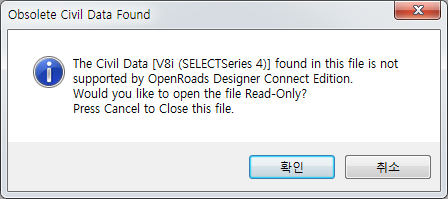
Obsolete Civil Data Found
The Civil Data [V8i (SELECTService 4)] found in this file is not supported by OpenRoads Designer Connect Edition.
Would you like to open the file Read-Only?
Press Cancel to Close this file.
1) [File] → [Settings] → [Configuration] - [Configuration Variables]선택

2) 다음 항목을 추가
CIVIL_UPGRADE_PROMPT_OFF = 1
3) OpenRoads 재시작
** 위와 같이 설정하고 OpenRoads에서 파일을 열면, 아무런 메세지 없이 OpenRoads Civil Data로 변환됩니다. 단, InRoad에서 Read-Only로 열리며, 이는 되돌릴 수 없습니다.
- 이전글 OpenRoads Designer에서 클릭 한번으로 도로에 차선 마킹 19.10.15
- 다음글 ProjectWise 로그인창 안뜨게 하기 19.01.02